HDB Renovation: data points for home offices
HDB Renovation has changed shape since more of us work from home, and the one thing older flats were never built for is a proper home office network. Wi-Fi reaches most corners, but it drops, it lags on video calls, and it hates concrete walls. A wired data point at your work desk gives you a connection that just works. Plan it during the reno and you get clean, fast internet without ugly cables later.
Why Wi-Fi alone lets you down
Singapore HDB flats are built with concrete walls and floors that chew up wireless signals. The router sits in the hall, your desk is in the bedroom or a study nook, and suddenly your call freezes at the worst moment. Mesh helps, but a mesh node still needs a wired backhaul to perform at its best.
A proper data point solves three problems at once:
- Stable speed for video calls and large file uploads.
- Low latency for anything real-time, from meetings to cloud work.
- No reliance on a signal that weakens every time someone closes a door.
If you work from home even two days a week, a wired point pays for itself quickly.
Where to put a data point
Think about where you actually sit with a laptop, not where the old phone line used to be.
- At the main work desk — one Cat 6 point behind or beside the desk, at a height that hides behind the monitor.
- In the bedroom if you occasionally work there — a second point keeps the option open.
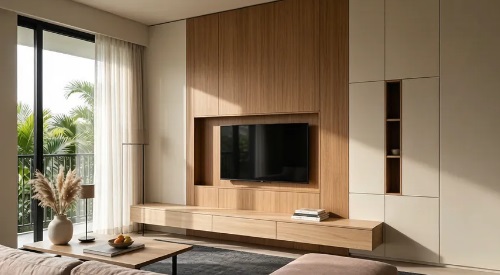
- Near the TV console — useful as the wired backbone for a mesh node, so your whole flat gets stronger Wi-Fi.
- In a study nook or built-in desk — tuck the point inside the carpentry so the cable vanishes.
Run the cable back to a central point where the fibre terminal and router live. That central spot is usually near the main door or in the hall, so plan the route during hacking, not after painting.
Wiring choices that matter
You don't need to be an IT person to spec this correctly. A few basics keep it future-proof.
- Cat 6 cabling — handles gigabit speeds comfortably and is the sensible baseline for a new run today.
- A proper faceplate and keystone jack — not a loose cable poking through the wall.
- Conduit where possible — lets you pull a newer cable through years later without opening the wall.
- A labelled patch panel or termination point — so you know which cable goes where when you set up the router.
Multiple data points can all run back to one switch, so you're not limited to a single connection at the router.
Coordinating with power and carpentry
A data point is only useful if it lands where the desk and the power are. That means the three trades need to talk.
- Electrical — put a power socket right next to the data point so the router or laptop adapter isn't stretched.
- Carpentry — if the desk is built-in, cut a neat opening in the back panel so the cable routes inside, not draped over the top.
- Hacking and tiling — the cable chase must be done before walls are closed, or you're stuck with surface trunking.
Since the CaseTrust Renovation Framework applies to contracts of S$5,000 and above from 1 October 2024 with itemised Open Book pricing, your data and electrical runs should appear as clear line items. If the quotation lumps "wiring" into one number, ask for the breakdown.
Staying within HDB rules
Data cabling is low-risk, but it's still part of the renovation works that need a licensed contractor. All renovation must be carried out by a BCA-licensed contractor on HDB's Directory of Renovation Contractors, and the flat goes through an end inspection before your deposit is refunded. For four-room flats and larger, that deposit is S$1,000, so it's worth keeping every part of the works compliant.
- Use a licensed electrician for any work tied to the power circuit.
- Keep cabling inside walls and false ceilings rather than surface-routed across living spaces.
- Don't drill into structural walls or beams to chase cables; work within HDB's allowed surfaces.
Build the office you'll thank yourself for
A home office is now a normal part of an HDB flat, not a luxury. A couple of well-placed data points turn a wobbly Wi-Fi corner into a proper workspace with a connection you can trust on every call. When you take on whole-house customization for your HDB flat, treat networking like plumbing for the internet: hidden, planned, and built in once. Do it during the reno and you'll wonder why you ever put up with dropped calls.