HDB Interior Design Singapore: Study Area Smart Home Wiring
HDB interior design Singapore homeowners working from home need a study area that charges laptops, runs lights, and stays tidy. Many BTO flats arrive with only basic provisions, so the smart wiring is planned during renovation. This article explains how to wire a study corner that grows with your devices.
Map your devices before the first socket
The mistake most owners make is placing one double socket and hoping it is enough. A study area today holds a laptop, a monitor, a phone, a desk lamp, and often a router. List every device, then add two spare points for future gear.
- Count fixed devices and add at least two expansion points.
- Place one socket at desk height and one lower for floor equipment.
- Keep the router near the study for a stable mesh node.
- Ask the HDB Licensed Renovation Contractor to route cables in the wall where allowed.
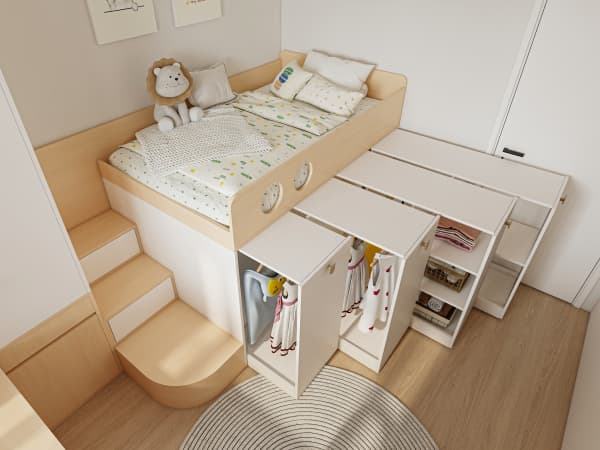
A 4-room BTO around 90 sqm can spare a bedroom corner or a nook in the living room. The wiring plan should be drawn before carpentry, not after, because chasing walls later needs a fresh HDB renovation permit.
Use a BTO renovation timeline that fits the wiring
A BTO renovation timeline runs from key collection to completion, and the smart wiring sits early in that sequence. After the permit clears in about 2 weeks, the electrician lays the points before the carpenter boxes them in.
- Collect keys and submit the permit through your LRC.
- Walk the flat with the electrician and mark every study point.
- Lay the cabling and test each socket before carpentry closes the wall.
- Build the desk and cable tray so wires hide behind the panel.
Following the timeline keeps the noisy works, like wall chasing, inside the weekday 9am to 6pm window. No hacking or drilling is allowed on Sundays and public holidays, so the schedule protects both your permit and your neighbours.
Choose HDB approved flooring and cable management
The study floor takes chair wheels daily. HDB approved flooring such as vinyl with a strong wear layer survives the roll better than bare cement. Pair it with a cable tray fixed to the desk, not to the structural slab.
Use a breached free route for the main cable by running it through the carpenter's built channel. Lightweight partitions for non structural dividers can hide the router and keep the study quiet. Remember the household shelter cannot be used for the network hub, since only light fittings and laminated flooring are allowed inside and the door must stay.
Add smart controls without overloading the circuit
Smart switches and a motion light make the study efficient, but spread the load. Put the desk, the lights, and the router on separate points so a tripped breaker does not kill your meeting. A small UPS protects the router during brief outages.
Label the distribution board clearly so you can reset one circuit without guessing. This is HDB interior design done with the building's limits in mind, not against them. The open plan of newer flats means the study nook can sit in the living area, and good wiring keeps it invisible.
Bring the study into whole-house customization
A study that works is rarely an island. The same lighting tone, the same floor, and the same cable logic should run through the home. Plan the smart wiring as part of whole-house customization so your Singapore flat supports work and rest from one coherent system. Build the network once, label it well, and the study will serve you for the life of the lease.